
Excire Foto 2027 is the latest version of Excire's photo-management software, designed to help photographers organise, search and manage large image collections more efficiently using AI-powered tools.
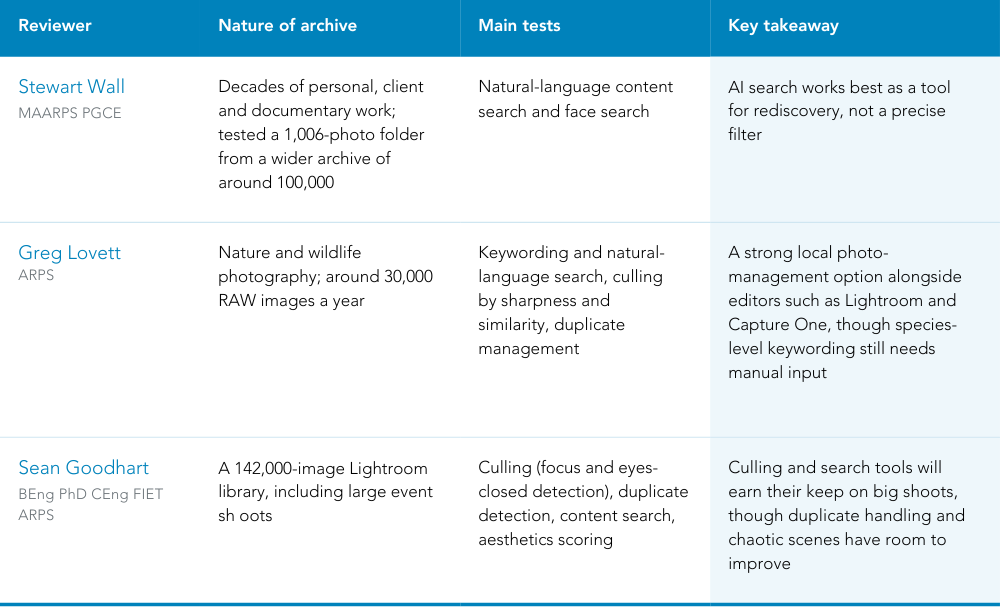
To find out how it performs in real-world use, we asked three RPS members to put Excire Foto 2027 through its paces and share their experiences. We wanted their feedback to be open and honest, covering what they found useful, what stood out and where they felt there was room for improvement.
Stewart Wall ARPS, Greg Lovett ARPS and Sean Goodhart ARPS each brought a different kind of photography and a different kind of archive to the task, from decades-old family and documentary work through to active nature photography and large-scale event shoots. Their experiences, together, give a rounded picture of how Excire performs across very different real-world libraries.
Can AI help us rediscover our own photographic archives?
By Stewart Wall MA ARPS PGCE, Regional Organiser East Midlands
Like many photographers who have been working for a long time, I have a problem: an enormous photographic archive, containing client work, personal photography, documentary work, family photographs, teaching material and self-assignments, some carefully organised and others simply sitting in folders created years ago.
The real problem is not storing photographs, hard drives do that remarkably cheaply, it's finding them again. I can remember a photograph, or the person in it, without the slightest idea what I called the file or exactly when I took it.
This was therefore the question I had in mind when the RPS provided me with a copy of Excire Foto 2027 to review: Can AI help me rediscover my own photographic archive?
Starting with a real archive
Rather than constructing a special collection for testing, I connected one of my existing Seagate archive drives. Excire doesn't require the photographs to be moved into a new library; I could leave my existing folder structure intact and tell the software which folder I wanted it to catalogue.
For this first experiment I selected my 2014 folder, containing 1,006 photographs spread across numerous subfolders. I enabled subfolders, image analysis and previews and started the process.
Excire works through several stages before registering and analysing the photographs; from pressing Start to completion, 1,006 photographs were found, registered and analysed in 9 minutes 26 seconds on my computer, with the photographs remaining on the external hard drive.
That figure made me think about my complete archive, which potentially runs to around 100,000 photographs: a large one-off analysis, with new work subsequently added as the archive grows.
The interesting part, however, came when I started searching.
“Girl with red hair”
I deliberately chose something I knew existed within the archive. Among the 2014 photographs were a number of pictures of a young red-haired girl, my daughter Jessica. Instead of finding the relevant folder myself, I simply typed: “girl with red hair”
Excire returned 24 photographs. This was my first “Oh, that's interesting” moment.
The results showed the girl in different locations, at different distances from the camera and wearing different clothes, outdoors, on public transport and elsewhere. I had not keyworded these photographs as “girl with red hair”; Excire was interpreting the content of the photographs.
This is potentially transformative for photographers with large historical archives. Instead of having to remember when I made a photograph, I could potentially search for what I remember about it.
I then made the search more specific: “girl with red hair on a train”, which unexpectedly increased the count to 37 rather than narrowing it. Refining it again, to “red-haired girl sitting on a train”, pushed the result up further, to 44.
Looking through them suggested what was happening. Excire had found photographs corresponding to different elements of my description separately: the red-haired girl, photographs associated with trains and railway platforms, and photographs of the girl sitting, including some where she was sitting on a bench rather than a train.
That is an important distinction. Natural-language AI search should perhaps be thought of as a discovery tool rather than a conventional database query. A longer sentence doesn't behave like adding conditions to a Boolean search, and that apparent weakness taught me something useful about how I might use the software.
Find the person, not the description
I then selected a clear photograph of the girl looking towards the camera and tried Excire's Find People facility. The software immediately identified her face; using the default face-search setting, I asked it to search the complete 1,006-image database for photographs containing the same person.
It returned 72 photographs, considerably more interesting than the keyword search.
The results included photographs made under very different circumstances. Her hairstyle changed, sometimes loose and sometimes braided; she was photographed indoors and outdoors, in different clothing and under different lighting, sometimes occupying much of the frame and sometimes relatively small.
The results weren't perfect; there were some questionable matches, though Excire provides controls for making facial matching stricter or looser. But perfection isn't necessarily the most interesting question here.
A few minutes earlier I'd been looking at a hard drive of photographs made twelve years ago; I asked the computer, in effect, “show me where else this person appears”, and seconds later was looking at dozens of matches scattered throughout the archive – an intriguing proposition for anyone with decades of photography behind them.
Beyond cataloguing
My first morning with Excire has therefore changed the direction I want to take with this review. I am less interested in producing a conventional list of software features than in discovering whether Excire can help a photographer see their own archive differently.
My next stage will be to test it against a much larger, more varied archive, perhaps 100,000 photographs spanning different periods of my photographic life, and to push the searches harder, from photographic characteristics such as reflections or silhouettes to more abstract ideas such as community or loneliness.
First conclusions - but not a verdict
After only one morning, it would be premature to reach conclusions. I've tested just 1,006 photographs, tiny compared with the archive I ultimately intend to give it, but this first experiment has already demonstrated something important.
The value of AI in photography may not simply be its ability to generate images. For photographers with substantial archives, perhaps one of its most useful applications will be helping us rediscover photographs we have already made.
This morning I didn't reorganise my 2014 archive, rename hundreds of files or spend hours adding keywords. I simply asked what was there.
And within a few minutes, photographs made twelve years ago began coming back to me in ways I hadn't anticipated.
Excire Foto 2027: gaining control of a nature photographer's archive
By Greg Lovett ARPS, Nature Group Chair
Like many of my generation I progressed from film through to my first digital SLR back in 2003, and I'm now a fairly active nature photographer whose digital camera, particularly for wildlife bursts, proliferates images in a way film never did.
Nowadays I have a large library of images: some 5 TB of RAW images and a further 20,000 processed JPEGs. I currently take about 30,000 images a year (stored in RAW format), so getting control over the quality and quantity of those images is becoming ever more important.
My workflow culls the obvious duds straight away, then I look for my best work. Very few of those 30,000 images are real winners; I think it was Ansel Adams who once said that if you take a dozen great images a year, you're doing well. The rest I probably ought to delete, but every now and again one turns out useful, so I keep it.
Excire helps answer one of the key problems for digital photographers: the basic questions of how you get control over quantity and quality when using a digital camera. In other words: how do I retain my sanity reviewing all these images; and how do I rate and select my images so that I can find them in the future?
Layout and ease of use
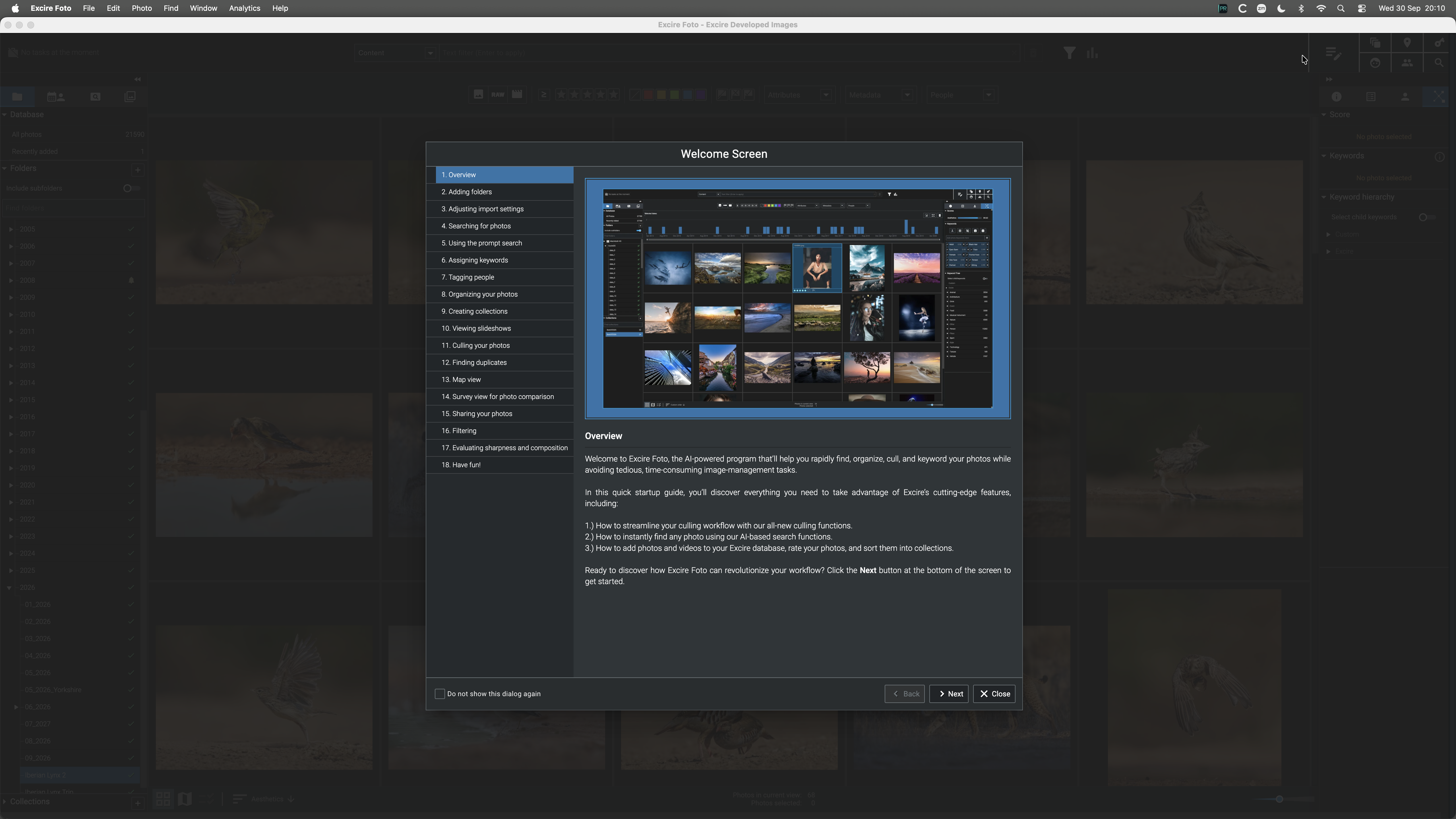
As a stand-alone file management system I can see that Excire is potentially the new gold standard. Users are free to use the editing software of their choice, which can be launched from within Excire itself.
I very much like the fact that Excire does not use cloud-based services. Everything is run on my own desktop machine; my images stay on my hard discs and are not being used for anything outside of my control.
Performance
On my Apple Silicon Mac, Excire just works: a modern, clean interface, no vendor-specific details added to photos, and fast ingestion, though I'm using a fairly modern Mac with 64 GB of RAM, and the programme occupies about 800 MB, so anyone with just 8 MB would likely struggle.
Worth noting for anyone with a large library: Excire suggests keeping it on an internal disc for speed, and the database file can get quite large. I've ended up using an external drive connected via USB4 Gen 3, and the speed is perfectly acceptable.
Searching for photos
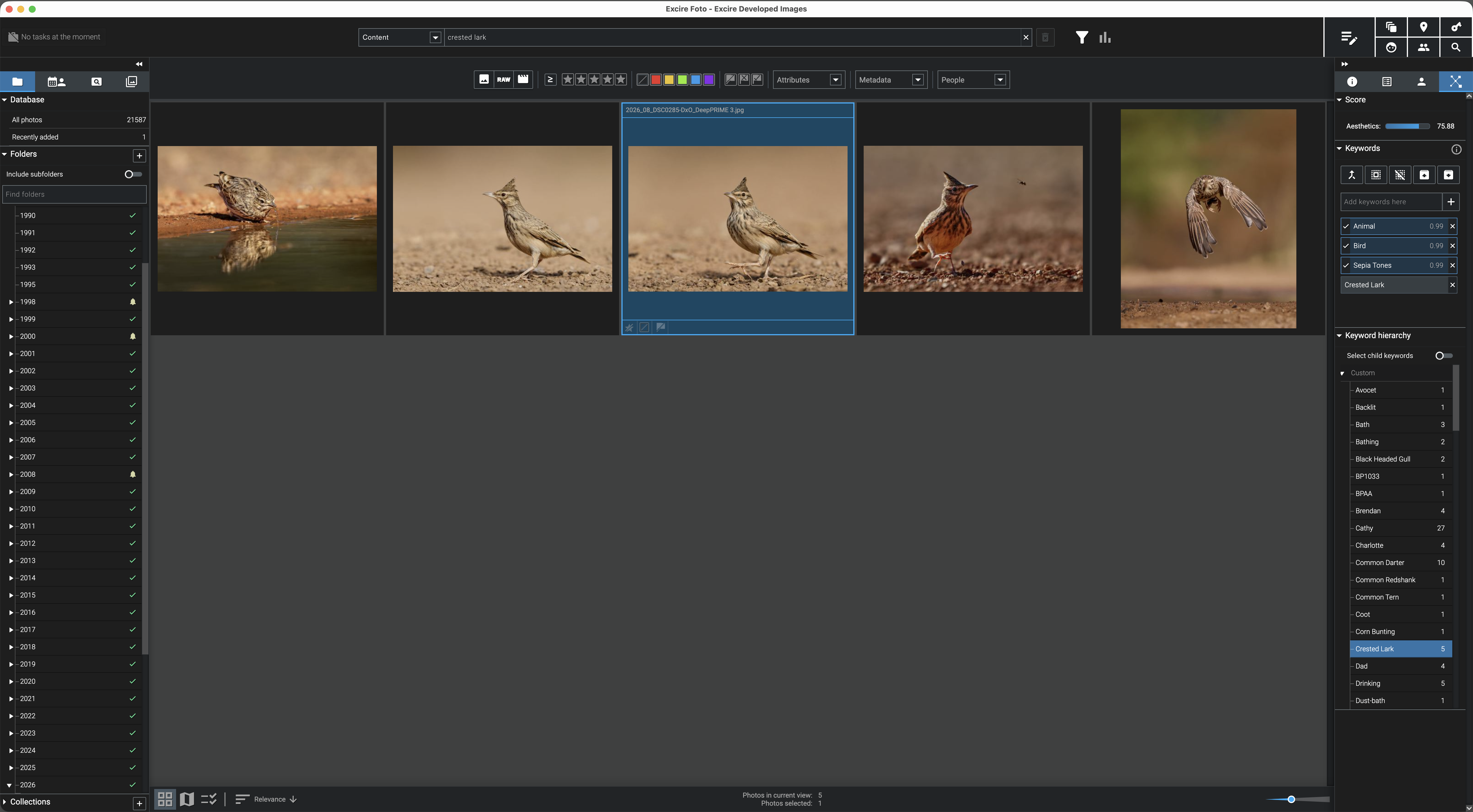
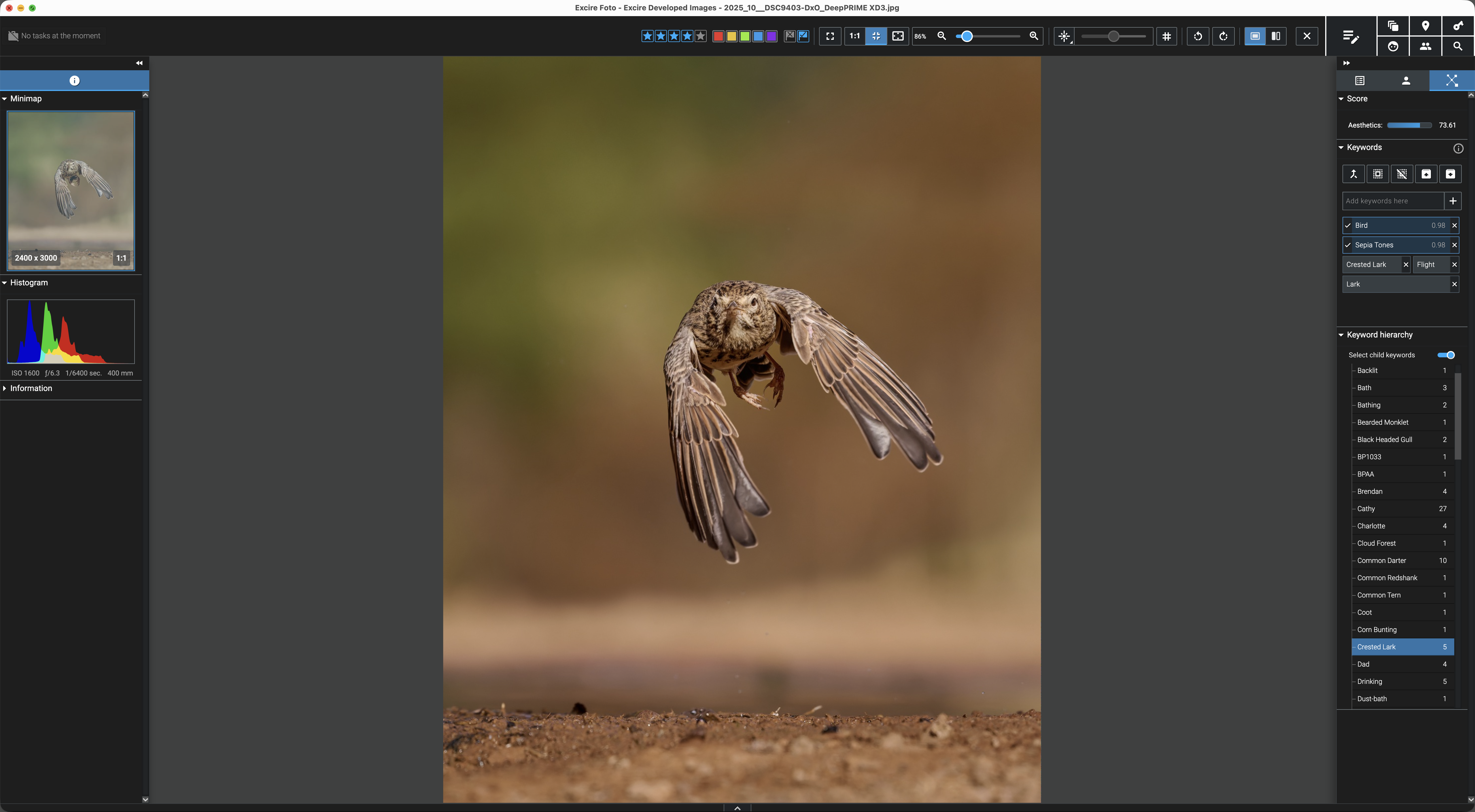
The analytics and keywording are pretty good and painless: Excire makes reasonable keyword guesses on ingest, which I review and add to. It's unlikely to get bird and insect species right, but I can tolerate that; it's much better at identifying people and searching for individual faces.
The AI search is excellent: despite the size of my catalogue I can just say “show me pictures of Crested Larks by water” and get what I'm after, without uploading anything to someone's cloud. I can also search from an example photo, or simply by keyword.
Organising and exploring a photo library
Excire isn't limited to its standard keywords either – you can add your own; it comes with only 22 types of birds, for instance, and a keen bird photographer would want hundreds more.
Excire offers several ways to browse your library: the traditional gallery view, or the map view, letting you zoom into images from, say, Peru – and with a GPS-enabled camera you don't even need to add location keywords.
I often end up producing duplicate images for competitions, and with bursts of very similar shots that otherwise take hours to review; Excire helps with both, including tools to locate duplicates and a configurable culling workflow that automatically selects and rejects photos based on criteria such as sharpness.
Verdict
You have probably gathered that I like Excire.
Excire won't appeal to everyone – those on Adobe's or Capture One's subscription services have some image management already, though nothing to compare with the AI keywording, and Adobe is now lagging some way behind what's possible. For anyone who has already moved to a standalone, non-subscription editor such as DxO or Affinity, Excire is a good match.
Excire's initial support is excellent, with drip-fed daily emails that get more complex as time goes on. Some users might dislike the approach, but it helped me get to grips with the software quickly; I wish other photo editing companies did the same.
Sean's experience of Excire Foto 2027
By Sean Goodhart BEng PhD CEng FIET ARPS, Contemporary Group Chair
This tool appeals to me for three reasons: natural‑language search finally compensates for years of lazy tagging; years of duplicate RAWs, DNGs and edits could finally be cleared to free up storage; and I hoped it would speed up culling large, chaotic event shoots, which my current tool struggles with.
I'm also intrigued by the automated “aesthetics” scoring. I've followed this area since 2017 and first wrote about it in 2018; while such systems risk pushing photographers toward sameness, they can still help surface strong images from big sets.
Importing and analysing my 142,000‑image library took about half a day, which was expected given the mix of NAS, SSD, HDD and USB storage, and some features trigger additional processing later.
As a Lightroom user used to working with edited previews, it was a little jarring that Foto 2027's viewer generally shows the unedited raw image rather than my DNG edits; it can't interpret Adobe's proprietary edits and needs full resolution to analyse images, but the switch still catches me out.
Overall, I like the tool and expect it to earn its keep whenever I need to sift large shoots for the better images.
Image culling and selection
This is my third, but most important, requirement, tested on sets of images I'd already partly culled from a “calm” studio setting and a more “wild” event shoot.
Importing 1,486 images into a culling collection and the subsequent processing took around 10 minutes. The images were already in the Foto 2027 database, but there's clearly more analysis and preparation of 1:1 views for culling. The culling tool has different pre-prepared setups; for this test I chose “auto reject”, to find blur and check for eyes being open, and I was surprised when the results came back how many images were rejected.
Clicking “Faces” shows the focus is good, Figure 1 (faces have been blurred for privacy), the green box goes yellow for less sharp, red for a miss. But “AI & Keywords”, Figure 2, thought the subjects' eyes were closed; most rejections flagged closed eyes incorrectly, rather than soft focus.
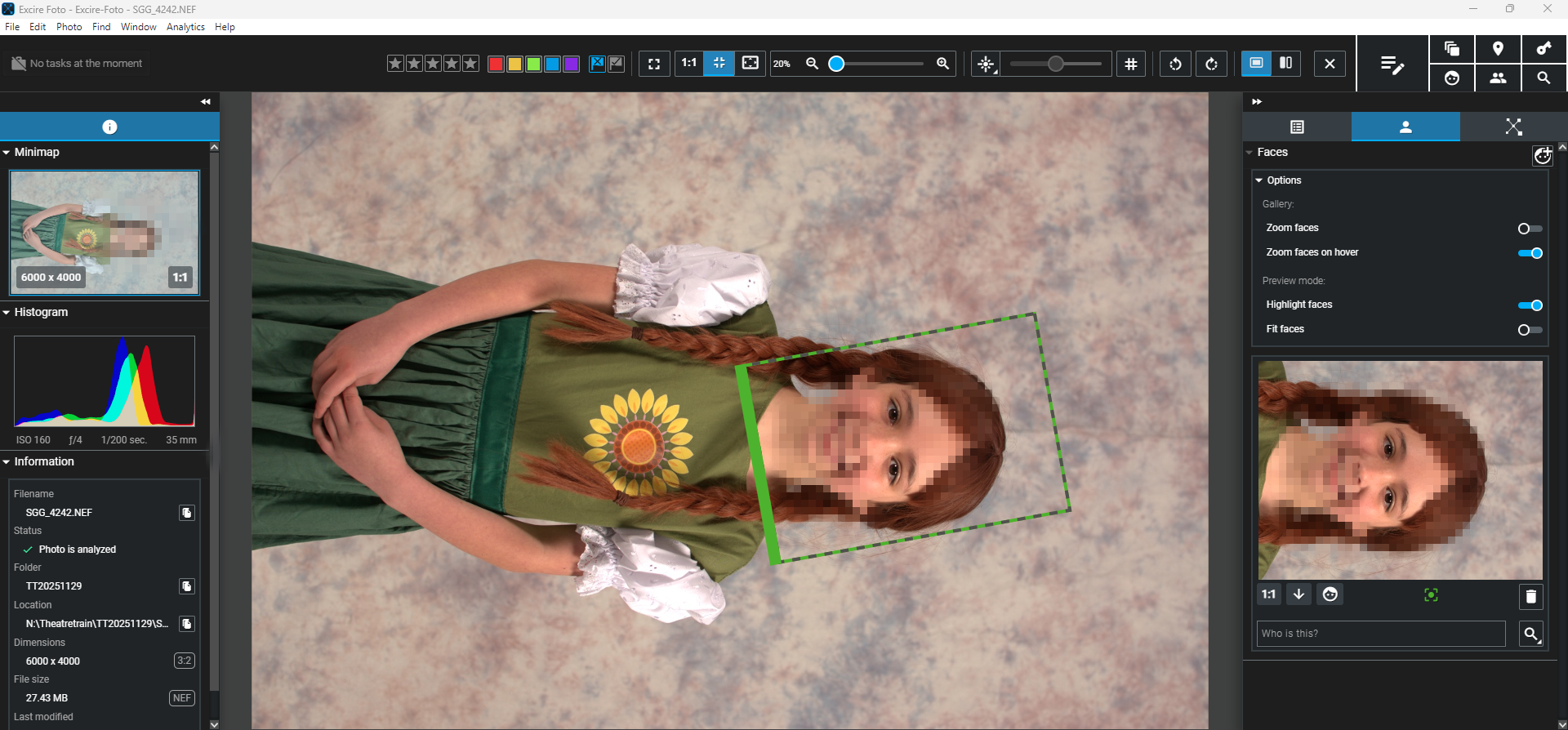
Figure 1 - Focus check (face blurred for privacy)
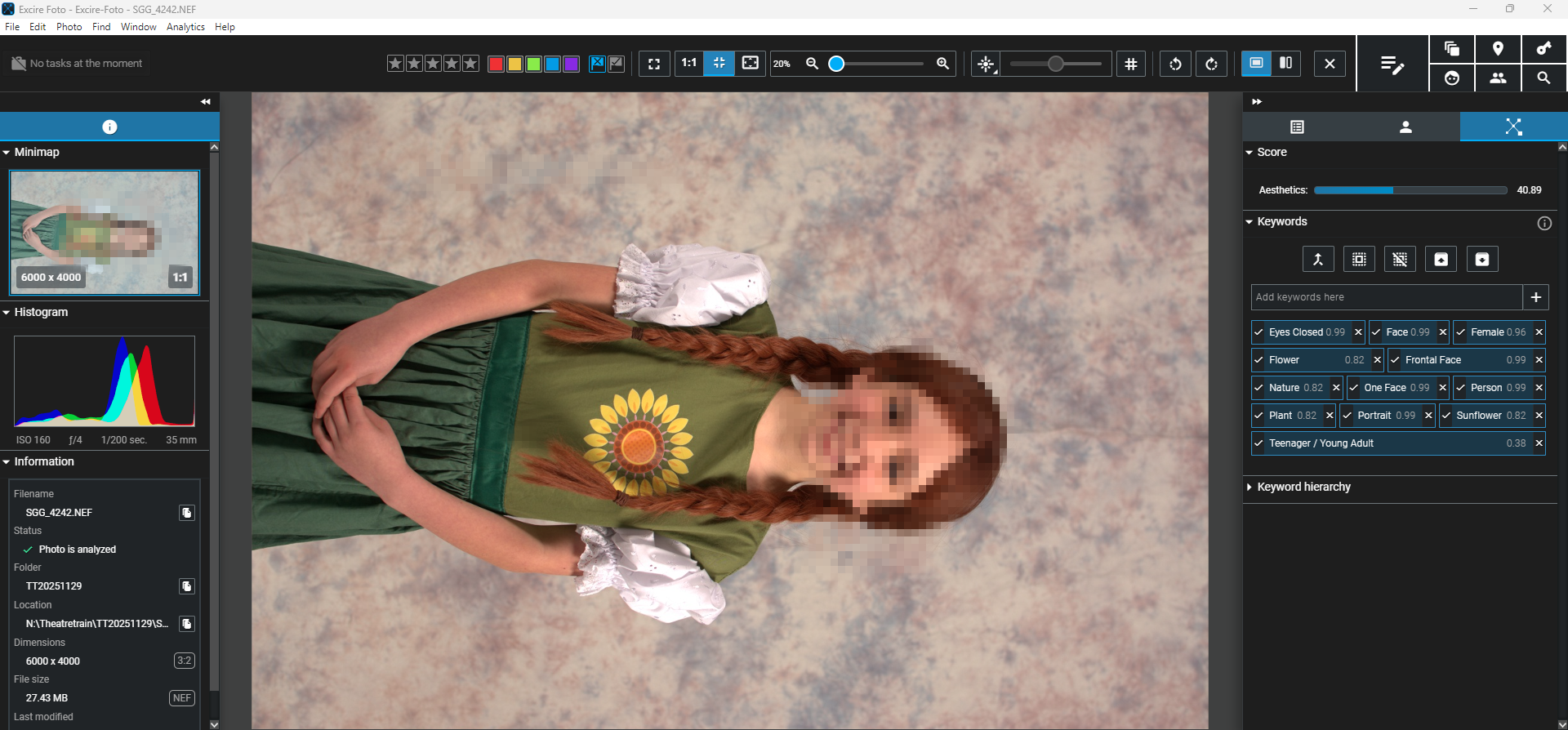
Figure 2 - Incorrect tagging “eyes closed” (face blurred for privacy)
I also tested a busier colour run event with the Default culling profile; 1,355 images took around 90 minutes, harder to analyse with so many people in frame. The Default profile groups images by “visual similarity” and “people”: the first let me pick the best shot from similar ones, the second could build client galleries by individual, though accuracy was hard to judge as everyone wore sunglasses. Figure 3 shows the people view, letting me double-click an individual to find their other shots in the set.
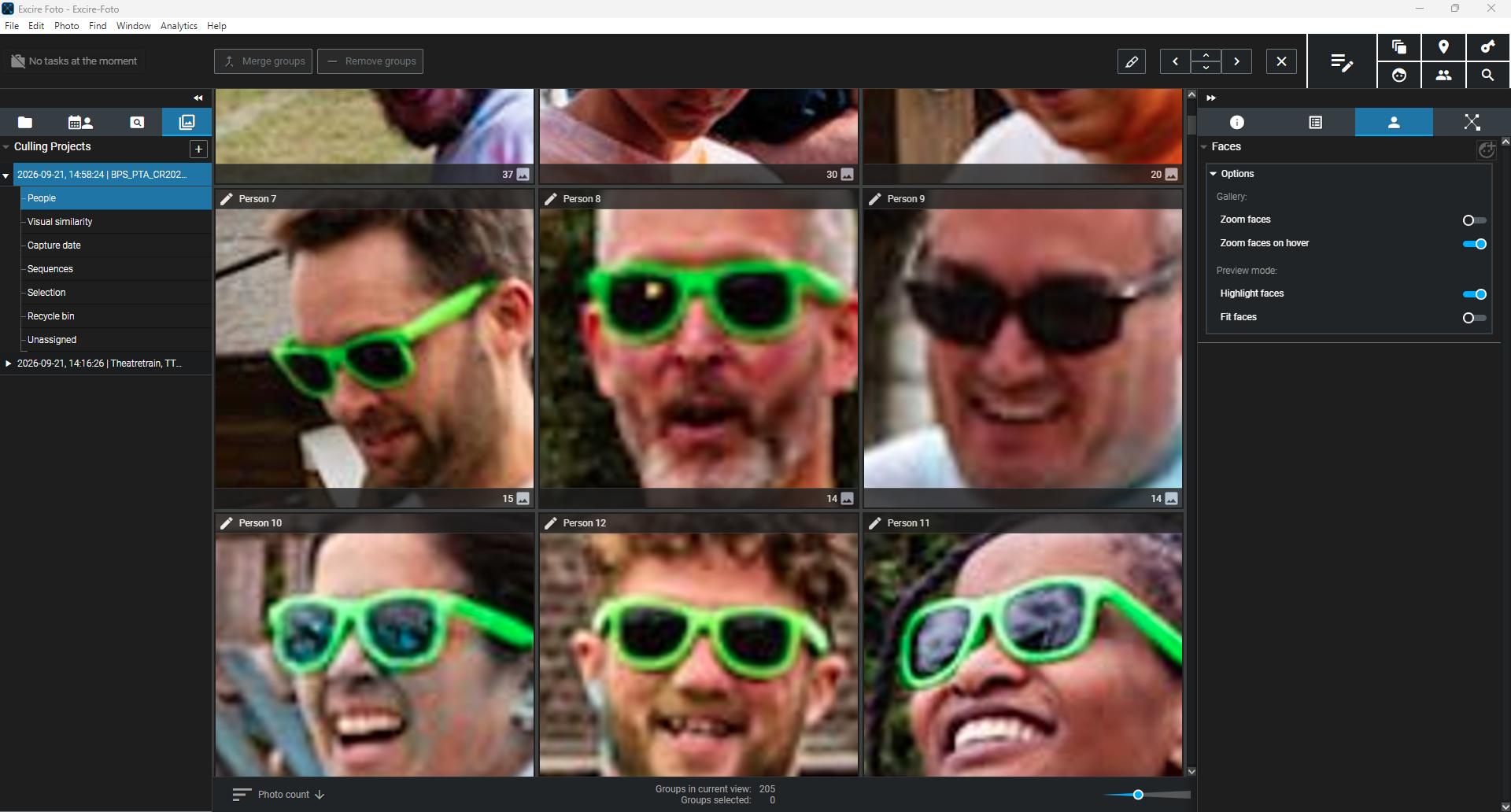
Figure 3 - People view
Naming individuals is possible, Figure 4, useful for finding people within the shoot, and Find People, Figure 5, works too. The result, Figure 6, is a little random though, pulling images from the whole database rather than just this project.*
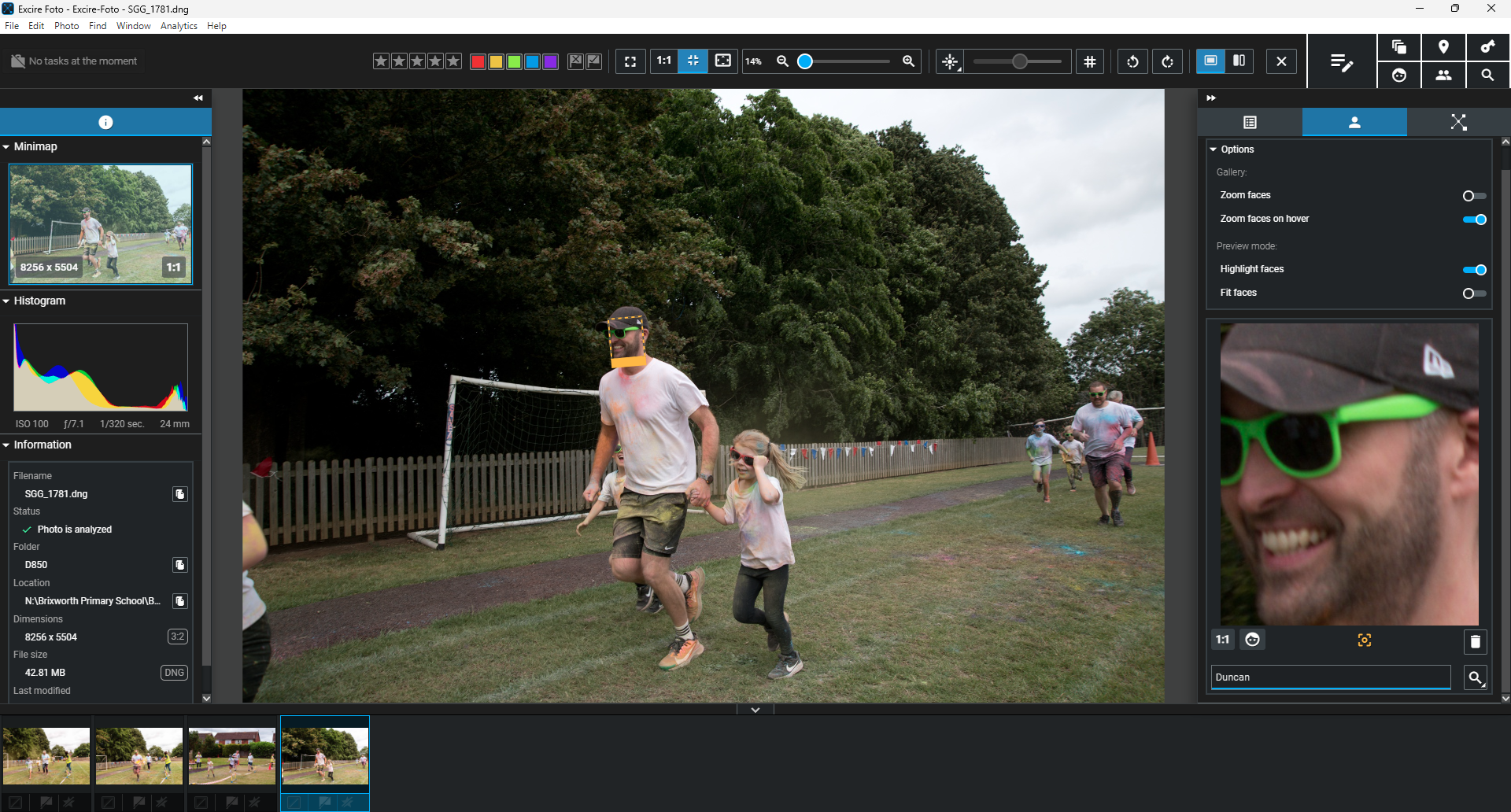
Figure 4 – Naming individuals

Figure 5 – Find People
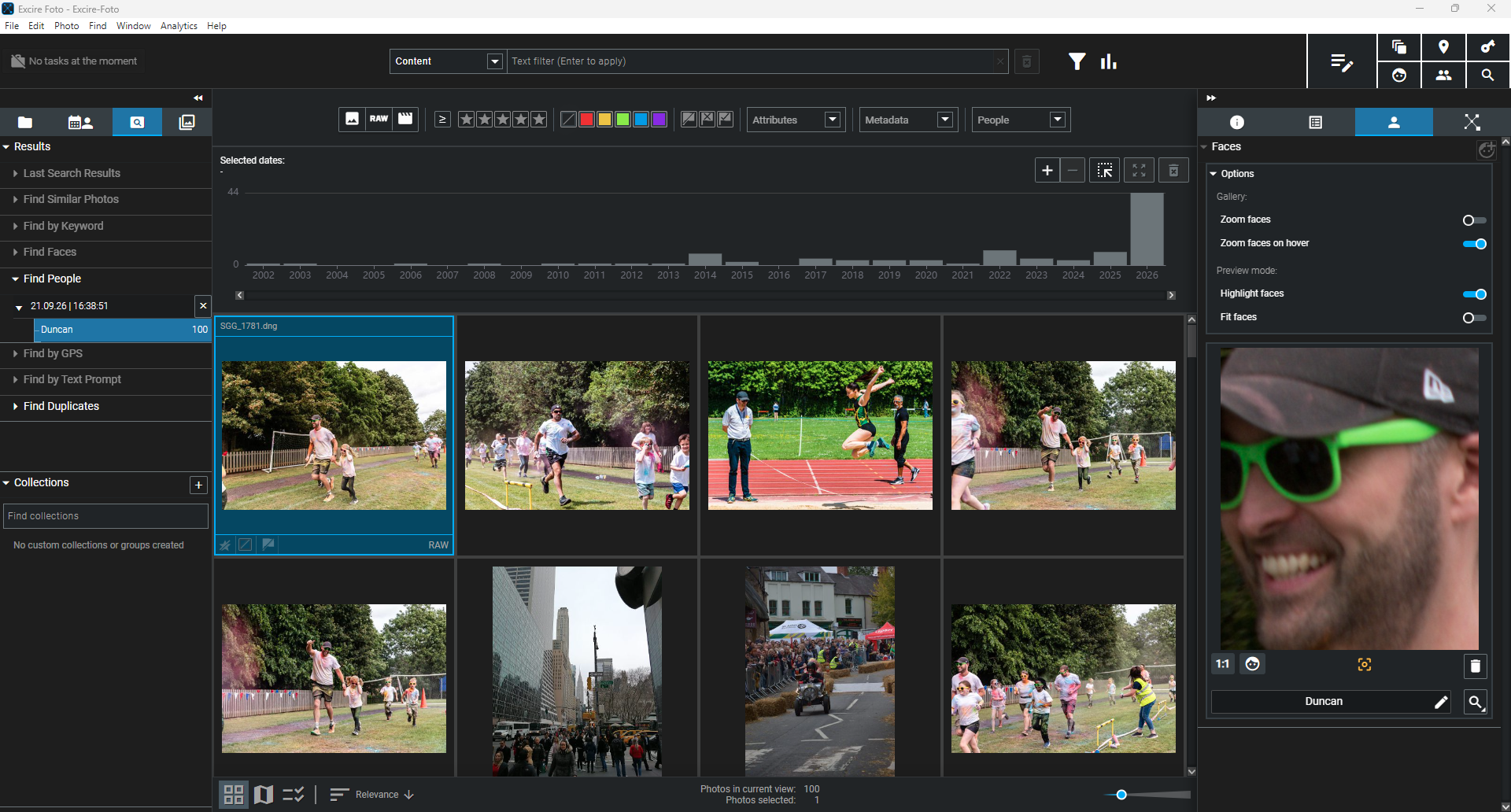
Figure 6 - People results
Managing duplication
Foto 2027 found old files I'd left on my NAS drives that were already copied to an archive external drive, see Figure 7. The tool finds the duplicates, but each must be flagged individually for deletion with an “x”; I'd like to mark a whole batch at once. The “select first” button selects every image in the first column of each pair, which sounds fine until duplicates appear in multiple folders, when it selected files I'd actually wanted to keep.
I think a useful additional feature would be to nominate the folder containing the duplicates for deletion, rather than assuming the order in which duplicates appear in the columns is a sufficient condition; in my image database, simply selecting the first column was too risky.**
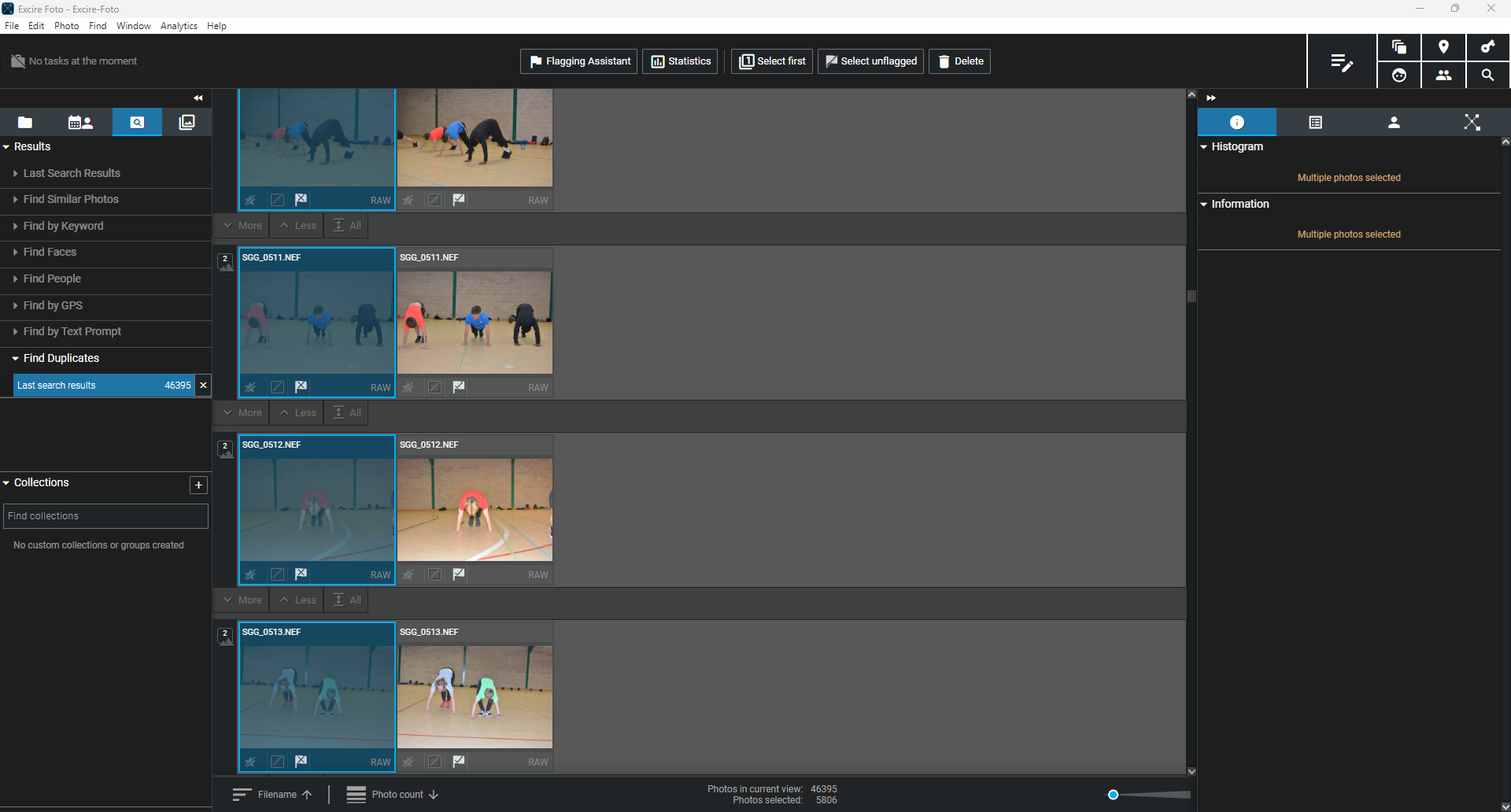
Figure 7 – Duplicates in multiple drives
Searching images
I wanted to find a specific colour of tractor among my farming photographs, imagining JCB finally came asking for some. The Content Filter tool, Figure 8, excludes all non-matching photos related to the filter "yellow tractors" from the current view. It tends to be fairly broad in its filtering so it found a lot of other yellow things, flowers included, but it was easy to scroll through and pick out the tractors.
The Find by Text Prompt tool, however, is a dedicated search tool that will find matching photos throughout your archive and order them by relevance, so it's a lot more precise.
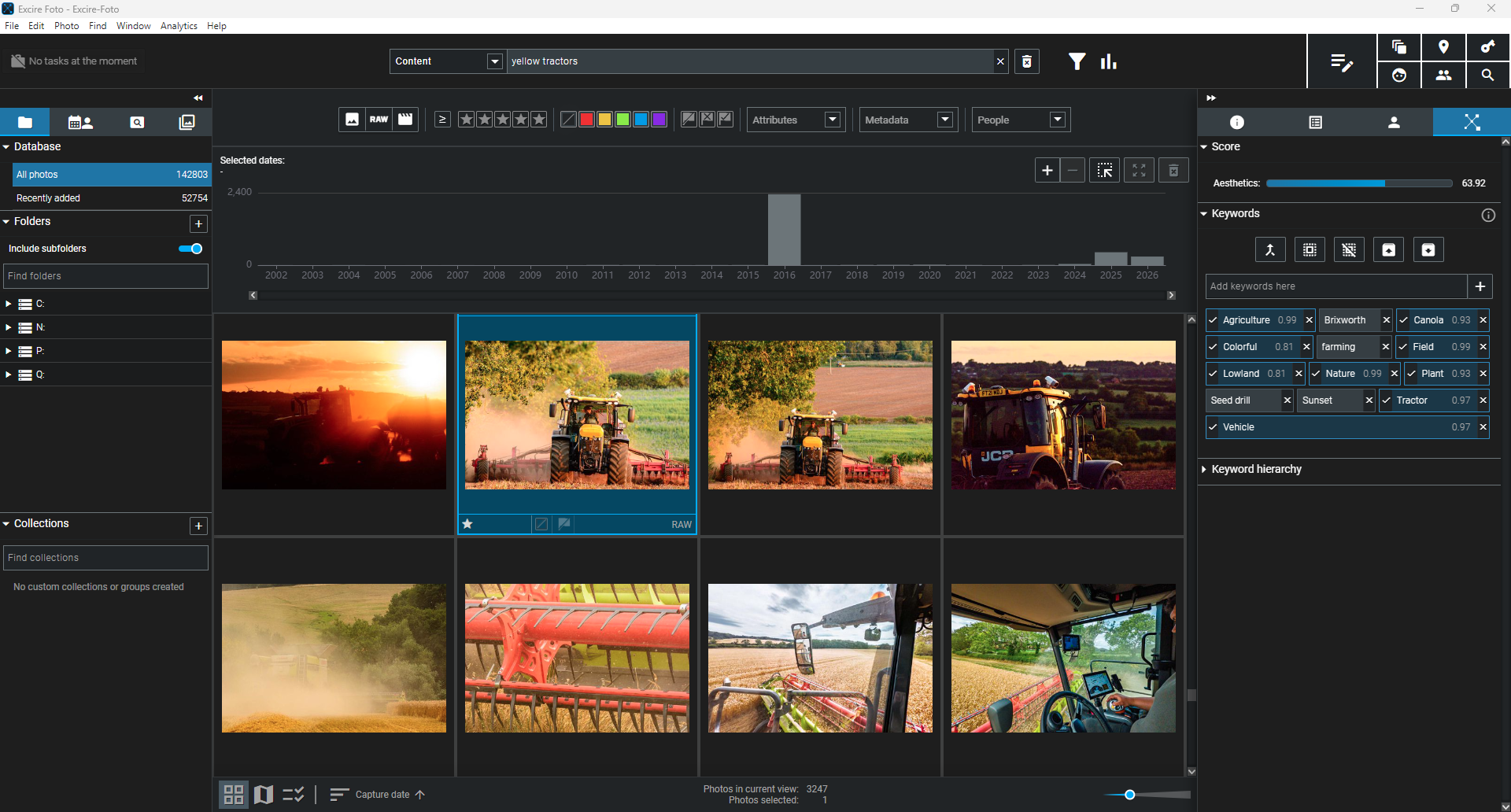
Figure 8 – Content search for yellow tractors
Is it a good photo?
I'm interested in the “aesthetics” scoring of images, part of the family of vision-system tools that interpret composition, tones and colours numerically, alongside recognising “things” in a photo; much like “show best photos” in Lightroom's web interface, Foto 2027 lets me rank images by score.
The initial view presents images by capture date, but Figure 9 shows sorting by Aesthetics Descending instead, bringing “best” images to the front. It's interesting that Foto 2027 ranks a boring 2014 landscape above a more interesting 2016 Chicago double exposure. My worry about tools like this is that we all start making images that look the same, but it's still useful for choosing between many options when I'm struggling to decide.
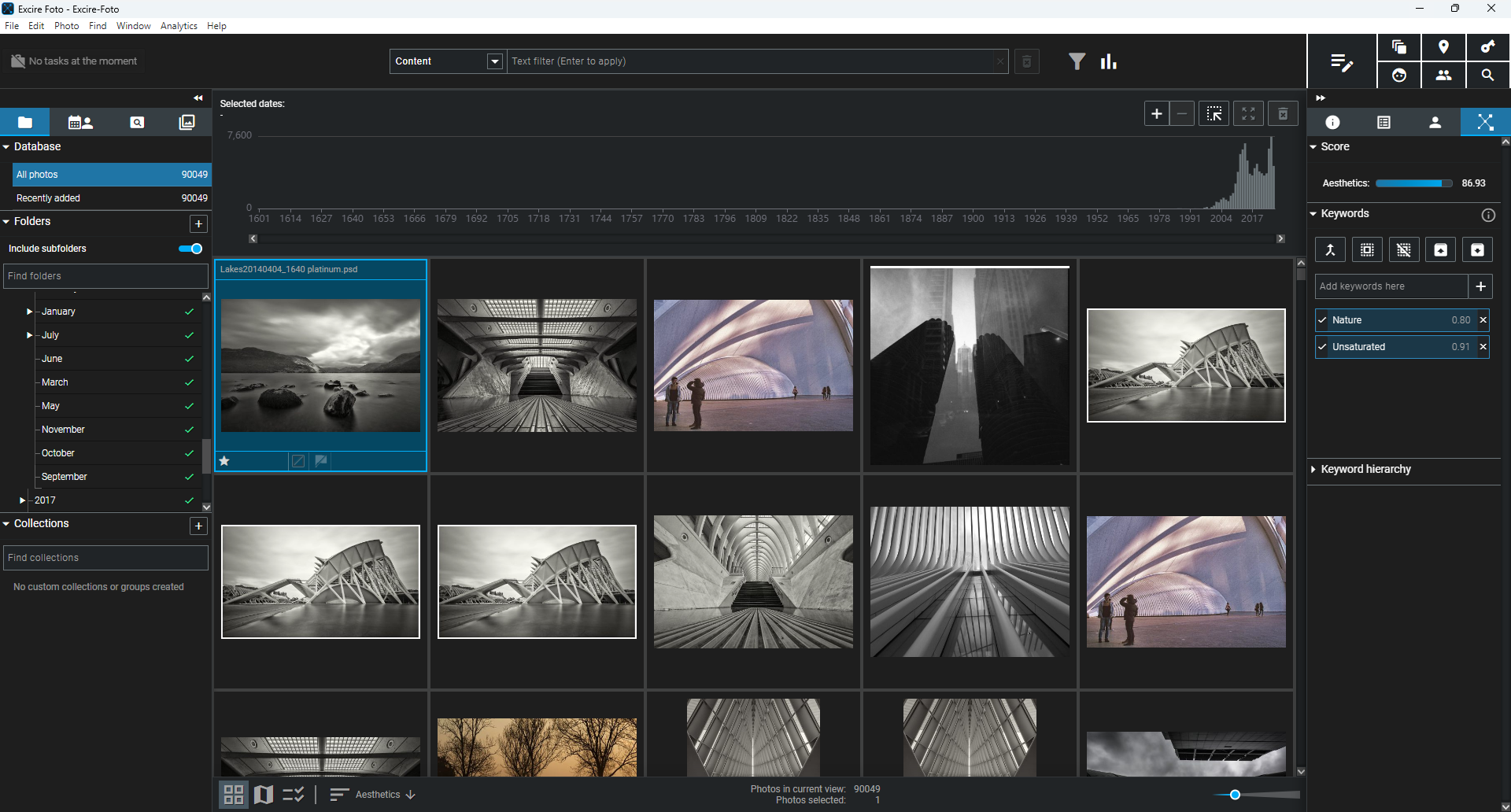
Figure 9 – Sort by aesthetics
Final thoughts
Software installation was incredibly quick; the real work being completed by the software was building the initial database, over 142,000 images taking around half a day, interrupted once by an overnight Windows update.
Support is great – I submitted a ticket about whether the interrupted reboot had corrupted the database, and got guidance back within a day; nothing was lost. There's a good website and YouTube support too, though I'm getting a few too many emails (20 in 15 days) with tips.
Whilst I think there's room for improvement with analysing more chaotic scenes, Foto 2027 is a tool that's going to be helpful in my workflow for events, saving time in culling missed focus and choosing the better images to keep.
Conclusion
Across the three reviews, there were some clear themes in how our members responded to Excire Foto 2027. The software's ability to help photographers search, organise and navigate large image libraries stood out as a key strength, particularly for those looking for a quicker and more intuitive way to find specific photographs within an archive.
The reviewers also brought different perspectives to the software, reflecting their own workflows, expectations and experience. That variation is useful, because it shows that the value of Excire Foto 2027 will inevitably depend on how an individual photographer manages their images and which features matter most to them.
What came through strongly, however, was the potential for Excire Foto 2027 to make managing a growing image collection considerably easier, while reducing some of the time involved in searching, organising and rediscovering photographs.
We're delighted to welcome Excire as a new partner of the RPS. As part of the partnership, members can now get 20% off an Excire lifetime licence, with full details available on the member portal.
*A note from Excire: This depends on your settings in the Find People dialog (shown in Figure 5). You can choose to look in your whole database, but you can also specify a folder or collection, or you can look within the current view. So looking within a specific project is very possible!
**The duplicate flagging assistant can be accessed via the "Flagging Assistant" button at the top of the display, and it lets you batch-apply selection or rejection flags based on a wide array of criteria, including file location.
What's important is that you use the Source/Destination option when actually running the Find Duplicates search; it'll let you compare specific drives or folders against one another so that when you do open the Flagging Assistant, you can tell Excire to apply the "X" to all duplicates from the source or the destination locations.