RPS DIG Home | Publications | Competitions | What's on | Contact Us
Events ↗ | Workshops | T-W-T | Peer groups | LRPS | About DIG

Using Billetto to book workshops
RPS Digital Imaging
Some people have found Billetto confusing to start with, so here’s some guidance – please read it rather than contacting the organiser in the first place.
Our channel listing all current events is here: https://billetto.co.uk/users/rps-digital-imaging/
You will need to create an account (if you don’t already have one) and then log in before you can get any further.
Once you’ve chosen an event, use the Get Tickets button to pay (or get free tickets).
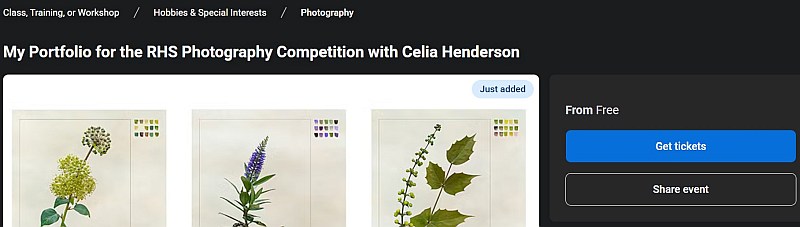
Getting the tickets includes a "gotcha" near the end - you'll be charged for SMS reminders if you don't pay attention - although of course you may wish to take up the offer.

Once your order is complete, you'll get the link that gives you access to the event on the confirmation screen:
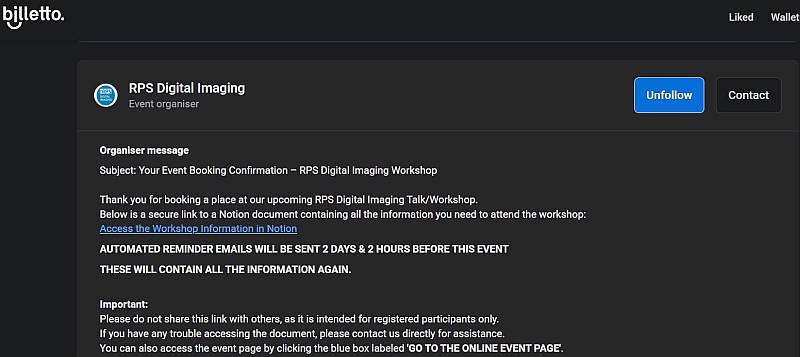
Billetto will also send you a confirmation email – click the Go to the online event page link to see all the details you need, or Access the Workshop information in Notion. (You’ll get extra reminders nearer the time too.)

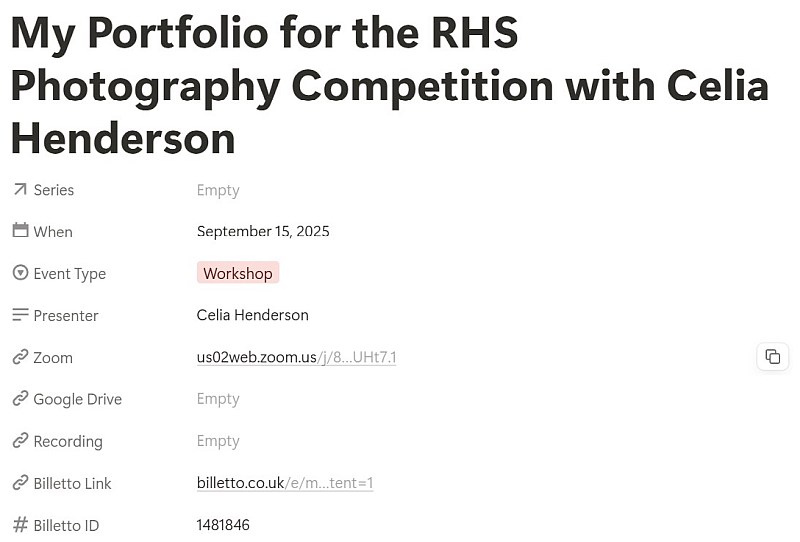
We use a platform called Notion, where all the details of the event (the Zoom link beforehand, a recording afterwards, plus any resources supplied by the organiser or tutor) are kept in one convenient place. We strongly suggest you bookmark this in your browser so you can find it easily again.